In the summer of 2018, I had the opportunity to intern at Apple in their headquarters in Cupertino, California on the Power and Performance team.
With my prior experience in building tools for analysing and presenting metrics and data, I was given the task to help develop tools for measuring the performance of iOS devices. I used Python, with the help of pyobjc and Tkinter, to build a tool for collecting screen captures for UI actions while measuring precise timestamps through OS signposts. I also learned AngularJS and built a web application to allow the team to display test data for quicker triaging.
At the end of my four month internship, I also presented a keynote on my project to executives, including the director of my org.
On iOS performance
2018 was a big year for performance. During Apple’s World Wide Developer Conference, or WWDC 2018 (“dub dub” as I learned to call it), updates to software are announced for developers to get a headstart on adapting their apps in preparation for the release to customers in September. You can watch the videos from WWDC online here. It even comes with an incredible opening narrated by Stephen Fry (sounding an awful lot like David Attenborough).
Performance improvements were the first items that Craig Federighi, Apple’s VP of Software Engineering, mentioned in his address during the opening keynote. He even lists out percentage increase improvements in actions such as keyboard bringup and app launch.
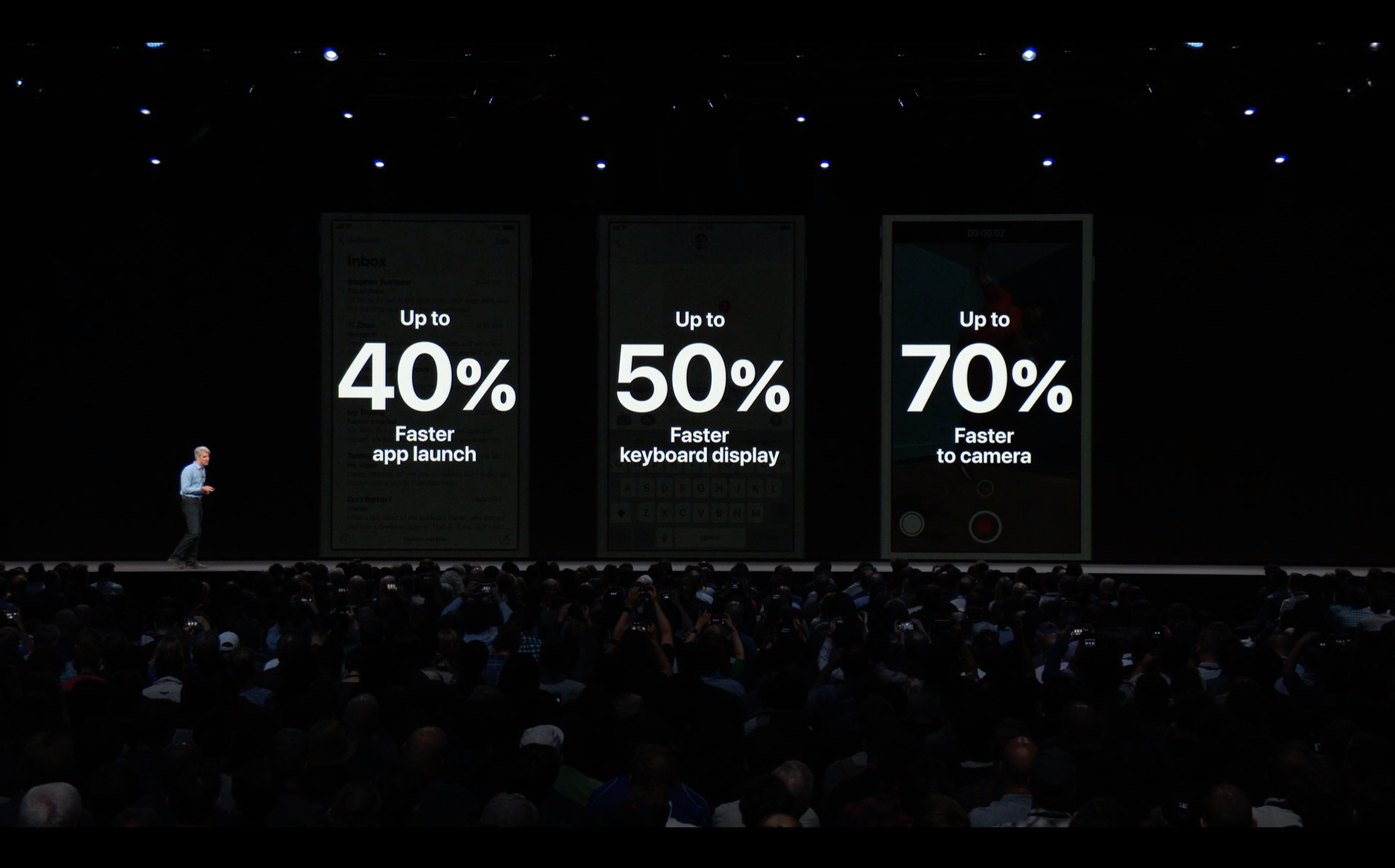
These performance numbers were obtained by measurements taken by the teams at Apple using OS signposts. In short, signposts allow you to mark in your code where work starts and end, so you can precisely obtain a time interval for an action. To learn more about how OS signposts work, I’d recommend you watch the WWDC 2018 session on Performance Logging, as signposts were put into the OS Log toolbox available to all Apple Developers.
The Perf team runs hundreds of automated tests a day, supporting numerous other teams at Apple. By checking against benchmarks and a history of prior tests, App teams can understand which actions cause performance strain, and triage the issues to improve the user experience during their app.
My task, as the only intern on the team, was to build a tool to improve the process for evaluating the end user experience of iOS applications, as well as another web application for displaying and filtering our team’s test metrics.
Some other experiences
Unfortunately, I can't go into too many details about my everyday work, but here are some of the other things I did during my internship:
- Attended two sessions at WWDC (What's New in ARKit2 and Creating Apps for a Global Audience) as well as the Bash, where I saw Panic! At the Disco
- Met my hero Kayla Itsines at her Bootcamp during WWDC
- Went to my first baseball game as a org-wide event
- Went to a winery for a team event
- Presented an actual Keynote to executives and other team managers
- Learned from Tim Cook and Craig Federighi, as well as many other influential people at Apple, during Executive Speaker Series talks
- Gymmed at Apple Park
- Completed an Apple Wellness Challenge and got a gold water bottle
- Bought way too many Apple shirts and Apple products